🔥
🔥
🔥
AI Wingman For Your Dating Apps

Never Freeze Up Mid-Chat

Perfect replies for

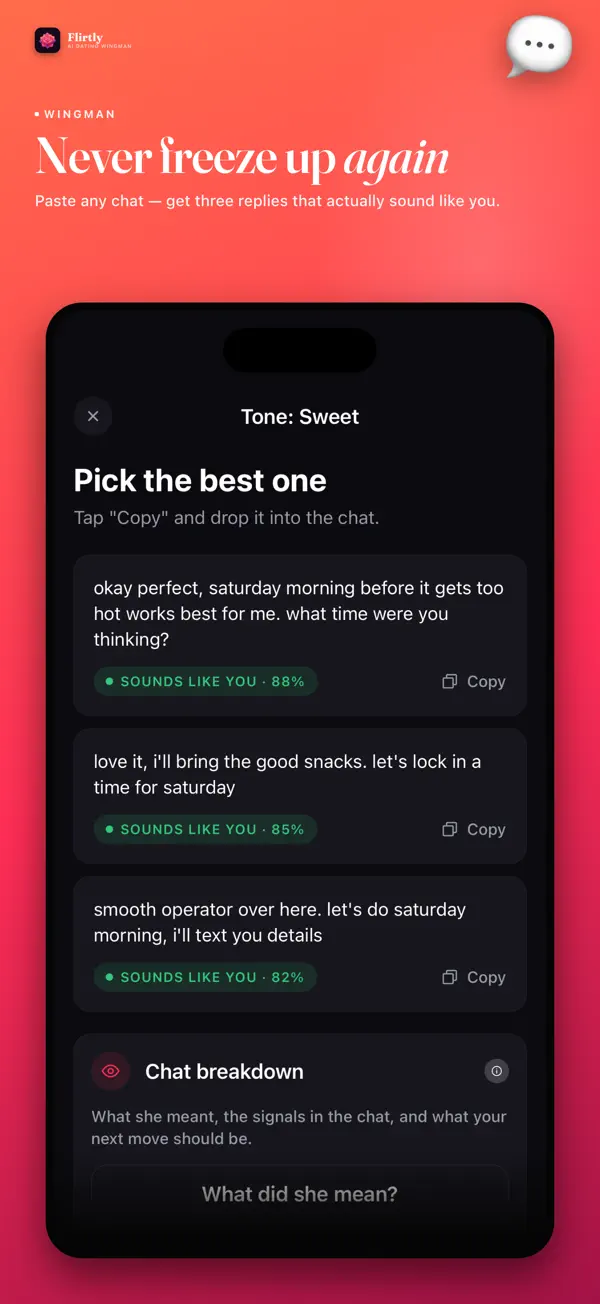
Flirtly reads the conversation, picks up the tone, and writes a reply that actually sounds like you. Paste her message or a screenshot, pick a vibe, get 3 ready-to-send replies in seconds.

0
Reply Tones
0
Replies Per Paste
0
Tap Back Tap Reply
Flirtly AI app icon

Flirtly AI

Your AI Wingman

She said: "lol you're trouble 😏"
✨ Bold tone: "Trouble's more fun with company — you free Thursday?"

Your AI Wingman in Your Pocket

Paste any message or screenshot from Tinder, Hinge, Bumble or iMessage. Flirtly decodes what she really meant, tracks how her interest is trending, and hands you three replies that sound like you — not a script.

✨ Try a Sample Reply

Pick a tone and see the kind of reply Flirtly would send

Your sample reply will appear here...

Everything You Need to Reply With Confidence

Six AI tools built around one goal: never freeze up mid-chat again.

💬

3 Replies, One Paste

Paste her message or screenshot it. Pick a tone. Get three ready-to-send replies in seconds — no overthinking required.

🔍

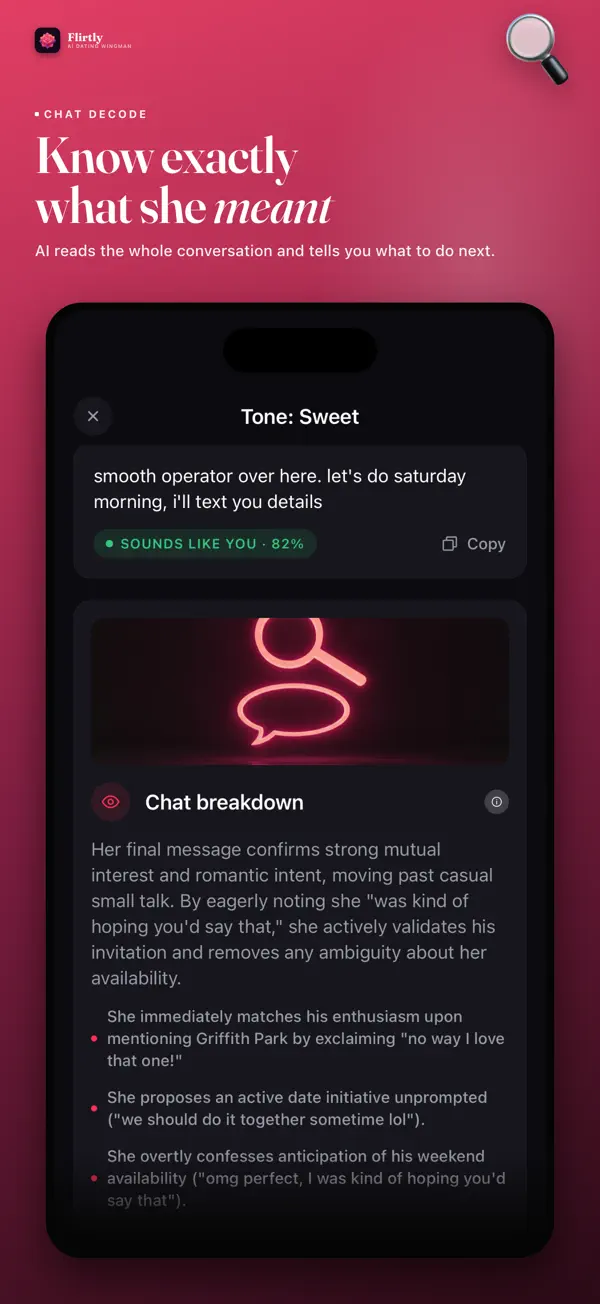
Chat Decode

Reads between the lines — what she actually meant, the signals you might have missed, and exactly what to say next.

📈

Interest Trend

Maps her engagement across the whole conversation, not just the last message, so you know exactly when the vibe shifted.

🎭

Roleplay Practice

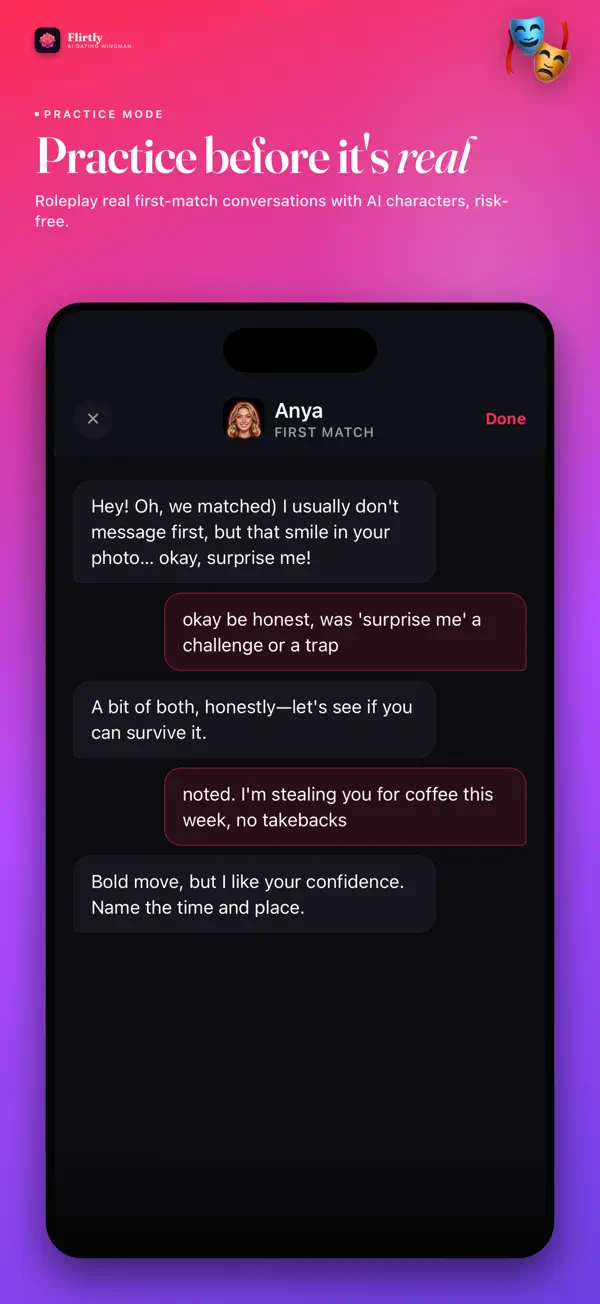
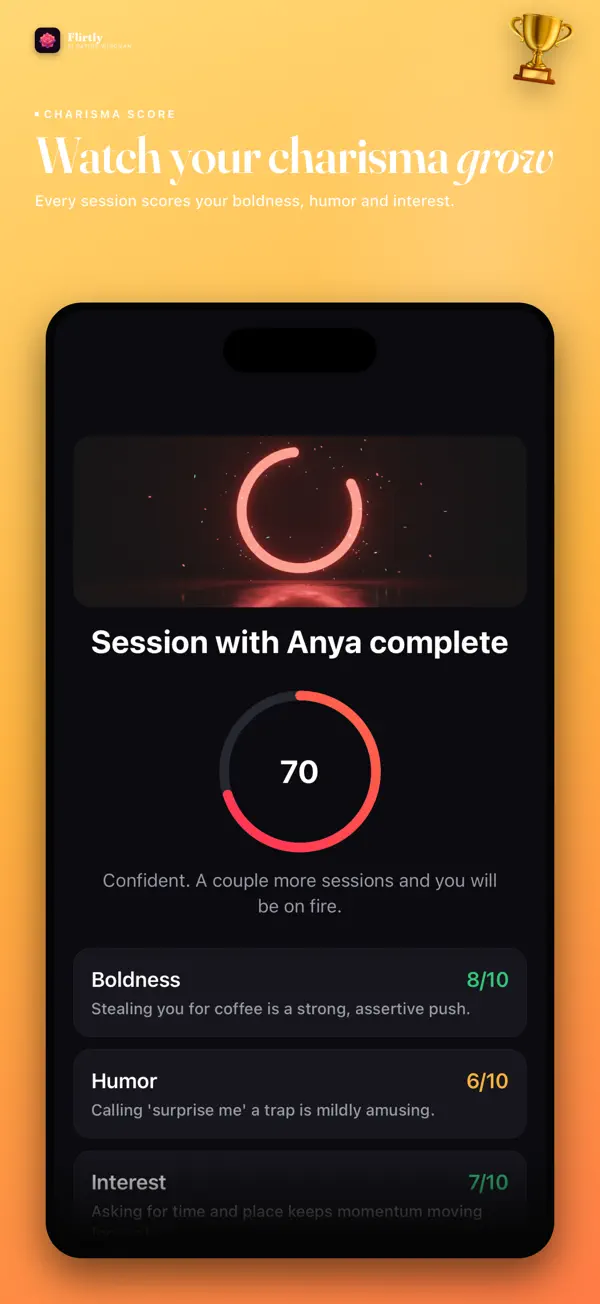
Practice real first-match conversations with AI characters, risk-free. Every session scores your boldness, humor and interest.

💌

Openers by Vibe

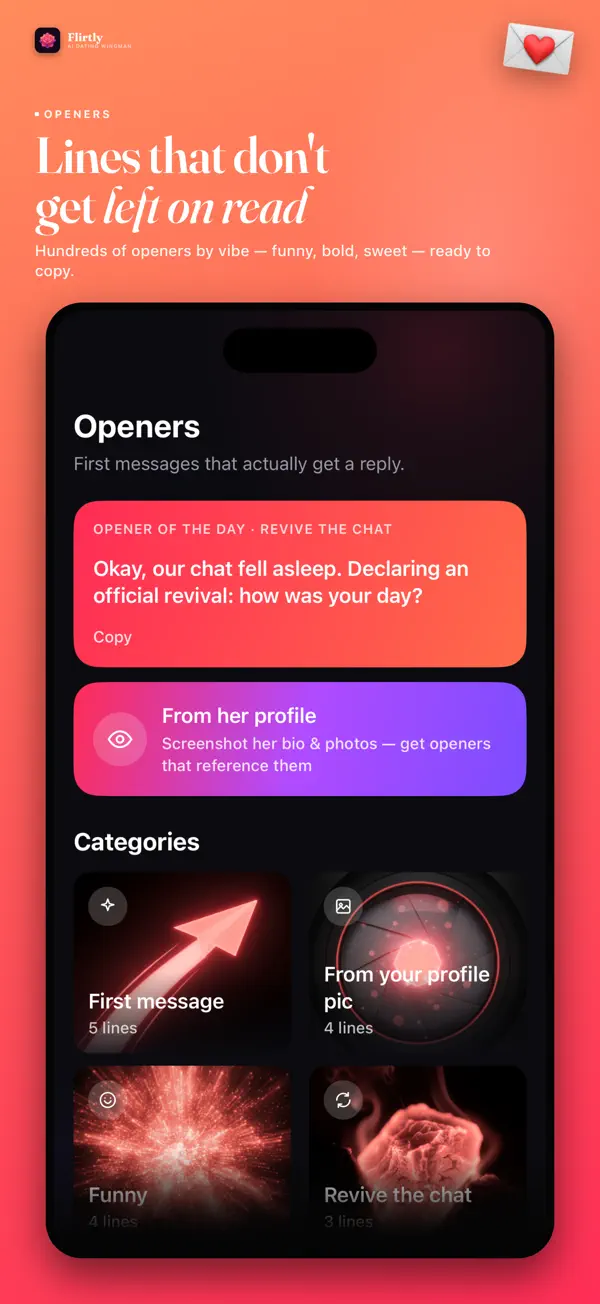
Hundreds of first messages sorted by vibe — funny, bold, sweet. Or screenshot her profile for openers that reference her bio and photos.

Back Tap Reply

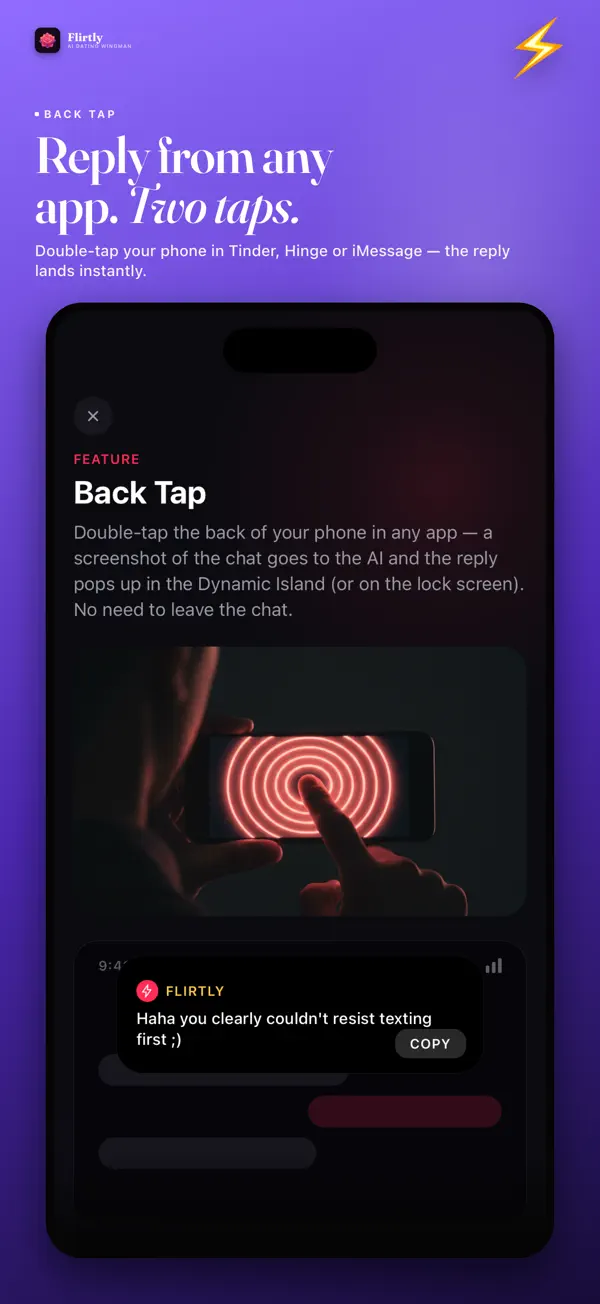
Double-tap the back of your phone in Tinder, Hinge, Bumble or iMessage. Flirtly drops a reply straight into the Dynamic Island — no copy-paste.

How It Works

Three steps from awkward silence to a reply that actually sounds like you.

1

Paste or Screenshot

Drop in her message, the whole chat, or just screenshot it. Works with Tinder, Hinge, Bumble and iMessage.

2

Pick a Tone

Flirty, Funny, Bold, Sweet or Intrigue — choose the vibe that fits the moment.

3

Send With Confidence

Get three ready-to-send replies. Copy one, or use Back Tap to drop it straight into the conversation.

Works With Every App

Paste from any app, or use Back Tap to reply without leaving the conversation.

🔥

Tinder

Back Tap ready

💙

Hinge

Back Tap ready

🕊

Bumble

Back Tap ready

📱

iMessage

Back Tap ready

📸

Instagram DMs

Paste & go

📜

Snapchat

Paste & go

📷

Any Screenshot

Chat Decode it

🎭

Roleplay Mode

Practice first

Built For You

Flirtly is for anyone who's ever stared at a text box a little too long.

💋
First Dates & First Matches

The first message sets the tone. Get it right without the overthinking.

🧠
Anyone Who Overthinks a Text

Stop rewriting the same message five times. Get three options and move on.

🌿
Re-Entering the Dating Scene

Apps and etiquette changed. Roleplay practice gets you back up to speed, risk-free.

💪
Sound More Confident, Not Less You

Every reply is a starting point in your own voice — not a canned script.

Expert tips for better conversations and dating success

How to Start a Conversation on Dating Apps: Proven Openers

The first message on a dating app determines whether you get a response. Studies show that personalized openers get 3x more replies than generic "hey" messages....

The first message on a dating app determines whether you get a response. Studies show that personalized openers get 3x more replies than generic "hey" messages.

Reference Their Profile

The most effective openers reference something specific from their profile. Noticed they love hiking? "That trail in your third photo looks amazing -- is that in Colorado? I've been wanting to do the Maroon Bells route." This shows genuine interest and gives them an easy topic to respond to.

Ask Engaging Questions

Open-ended questions spark conversation. Instead of "do you like travel?" try "what's the most underrated city you've visited?" Questions that invite storytelling create deeper connections. Avoid interview-style rapid questions; one thoughtful question per message is ideal.

Use Humor (Carefully)

Humor is the most attractive quality in messaging, but it's subjective. Light, self-deprecating humor works best. Avoid sarcasm in text (it often reads as rude) and never use humor at their expense. A playful, witty tone beats try-hard jokes every time.

Timing Matters

Messages sent during evening hours (7-10 PM) get the highest response rates. Weekday evenings outperform weekends. Don't respond instantly every time (it can seem overeager), but don't wait days either. 1-3 hours between messages during active conversation feels natural.

Practice Makes Perfect

If you struggle with conversation starters, AI dating assistants can help you craft personalized openers based on profile details. Practice different approaches, build confidence, and develop your own authentic messaging style.
Texting Tips: Keep the Conversation Going

Matching with someone is just the beginning. Keeping the conversation engaging through text is an art form that anyone can master. The Push-Pull Technique Balan...

Matching with someone is just the beginning. Keeping the conversation engaging through text is an art form that anyone can master.

The Push-Pull Technique

Balance showing interest with creating intrigue. Share something about yourself, then ask about them. Compliment them, then playfully tease. This creates dynamic, engaging exchanges. One-sided conversations (all questions or all statements) fizzle quickly.

Mirror Their Energy

Match message length and response time. If they write paragraphs, respond with substance. If they're brief, keep yours concise too. Sending walls of text to someone using short replies signals mismatched interest and can push them away.

Use Callbacks

Reference earlier conversations to show you're paying attention. "Wait, didn't you say your cat does that too?" Callbacks create inside jokes and shared history, building intimacy even before meeting in person.

Know When to Move Forward

Don't text forever without suggesting a date. After 5-10 days of good conversation, suggest meeting up. "This is too fun for just texting -- want to grab coffee this weekend?" Prolonged texting without meeting often leads to fizzled connections.

AI Conversation Tools

AI flirt and dating apps help you improve your messaging skills by suggesting responses, analyzing conversation dynamics, and helping you navigate tricky situations. Think of it as a dating coach in your pocket.

First Date Tips: Making a Great Impression

You've matched, chatted, and now it's time to meet. Here's how to make your first date memorable for all the right reasons. Choosing the Right Venue Coffee shop...

You've matched, chatted, and now it's time to meet. Here's how to make your first date memorable for all the right reasons.

Choosing the Right Venue

Coffee shops and casual restaurants are ideal first dates. They're low-pressure, easy to extend if things go well, and easy to end gracefully if they don't. Avoid movies (no conversation), expensive restaurants (too much pressure), or activities that require skill you don't have. Walking dates in parks or interesting neighborhoods are underrated gems.

Conversation Flow

Ask about passions, not just jobs. "What do you do for fun when you have a completely free weekend?" reveals more than "what do you do for work?" Listen actively: make eye contact, ask follow-up questions, and share related experiences. Avoid controversial topics, ex stories, and complaints on date one.

Body Language Signals

Lean in slightly when they speak. Maintain comfortable eye contact (not staring). Smile naturally. Mirror their posture subtly. Put your phone away completely. These non-verbal cues communicate genuine interest and create connection beyond words.

Ending the Date

If you're interested, say so clearly: "I had a really great time. I'd love to do this again." If you're not feeling it, be kind but honest: "Thanks for coming out tonight, I had fun getting to know you." Follow up with a text within 24 hours if you want to see them again.

Read all dating & texting guides →

App Screenshots

Flirtly AI wingman screen showing tone selection Flirtly AI Chat Decode screen reading between the lines Flirtly AI Interest Trend chart across a conversation Flirtly AI roleplay practice with an AI character Flirtly AI roleplay score for boldness humor and interest Flirtly AI opener library sorted by vibe Flirtly AI Back Tap quick reply setup screen

Got Questions?

Everything you need to know about your new secret weapon.

Is Flirtly AI free to use?
Yes, Flirtly is free to download and try. Flirtly PRO unlocks unlimited replies every day, every tone, Chat Decode, Interest Trend, all practice characters and Back Tap, as a weekly or monthly auto-renewing subscription.
What is Back Tap and how does it work?
Set it up once in the app, then double-tap the back of your phone while inside Tinder, Hinge, Bumble or iMessage. Flirtly reads the chat on screen and drops a ready reply straight into the Dynamic Island — no copy-paste, no switching apps.
What does Chat Decode actually tell me?
Chat Decode reads the subtext of what she sent — interest level, tone, and signals that are easy to miss when you're staring at your own phone. Interest Trend then plots that across the whole conversation so you can see when the vibe changed.
Are my pasted messages and screenshots private?
Conversations you paste or screenshot are used only to generate your replies. See the full privacy policy for details on data handling.
What platforms is Flirtly AI available on?
Flirtly AI is currently available on iOS via the App Store, requiring iOS 15.1 or later. Android is not yet available.

Your Next Reply Is One Paste Away

Stop staring at the keyboard. Download Flirtly AI and get your first three replies free.

Download Flirtly AI Free